GastroModo Private
HUF 29,900
One-time fee · 1 named person · up to 2 personally owned Windows computers · may not be shared
BuyGastroModo · Windows · HU / EN / DE
GastroModo is kitchen costing and planning software for hospitality teams. Calculate ingredient cost per serving using your purchase prices, set dish and event-menu prices, and plan the ingredient quantities you need.
Calculations run on your computer using your data. Planned contribution is the amount remaining after ingredient cost; it is not net profit without accounting for wages, energy and other operating costs.
GastroModo
Actual screenshots of version 0.7.22 using separate demonstration data. Prices are illustrative examples, not market prices.
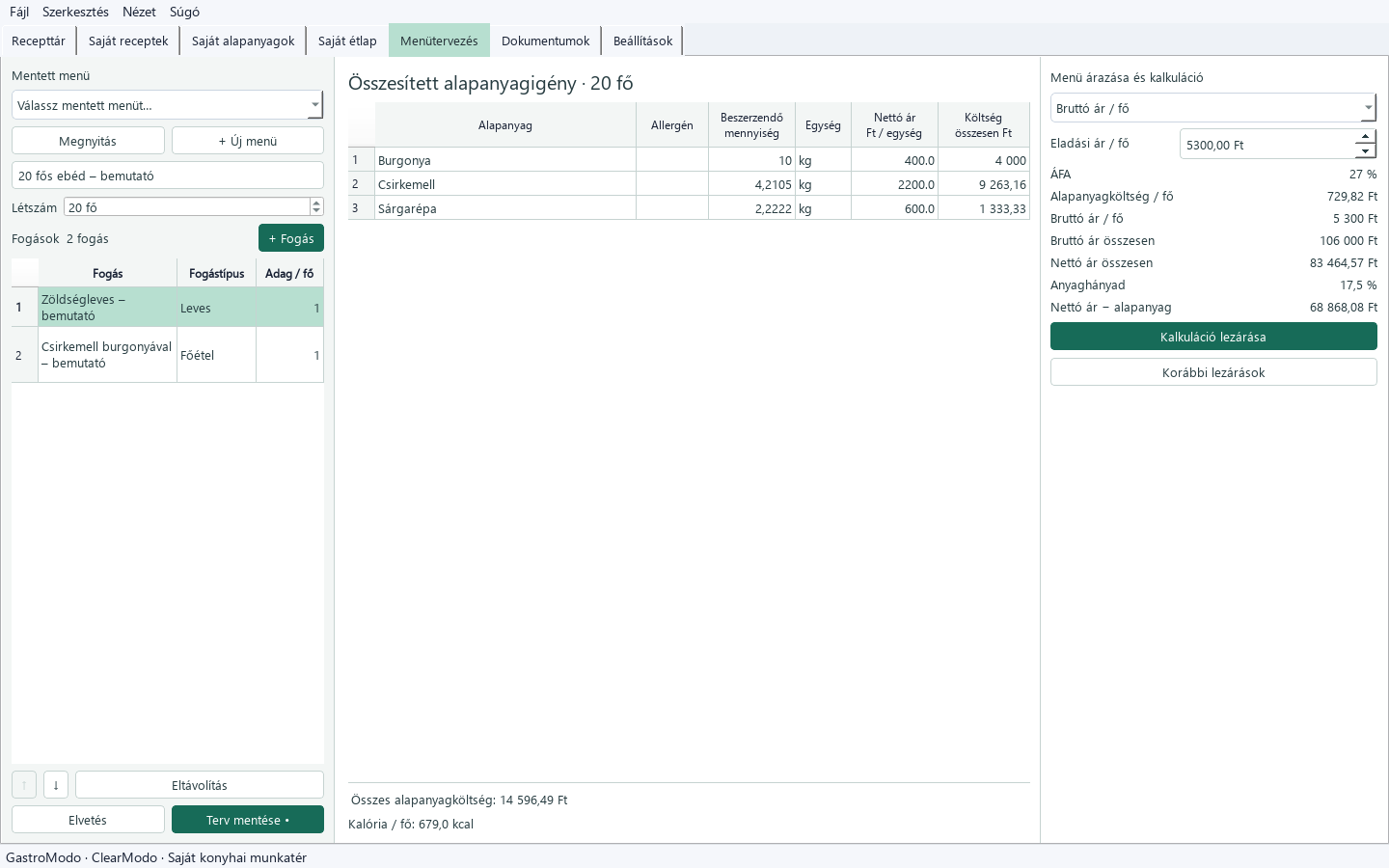
Courses, portions, combined purchasing quantities, ingredient costs, menu price and planned contribution in one view.
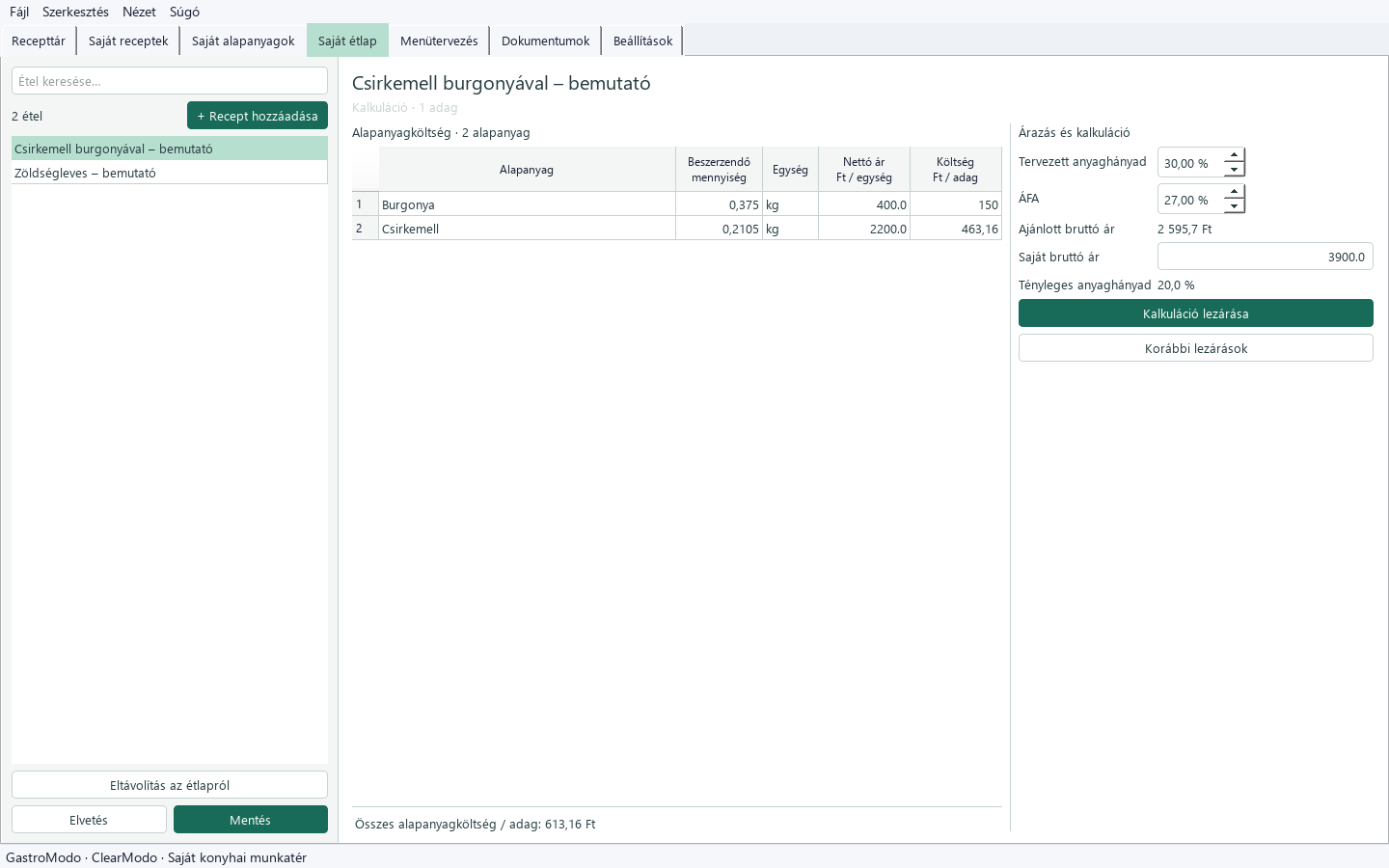
Ingredient cost calculated from your prices and preparation losses; selling price, food-cost ratio and planned contribution.
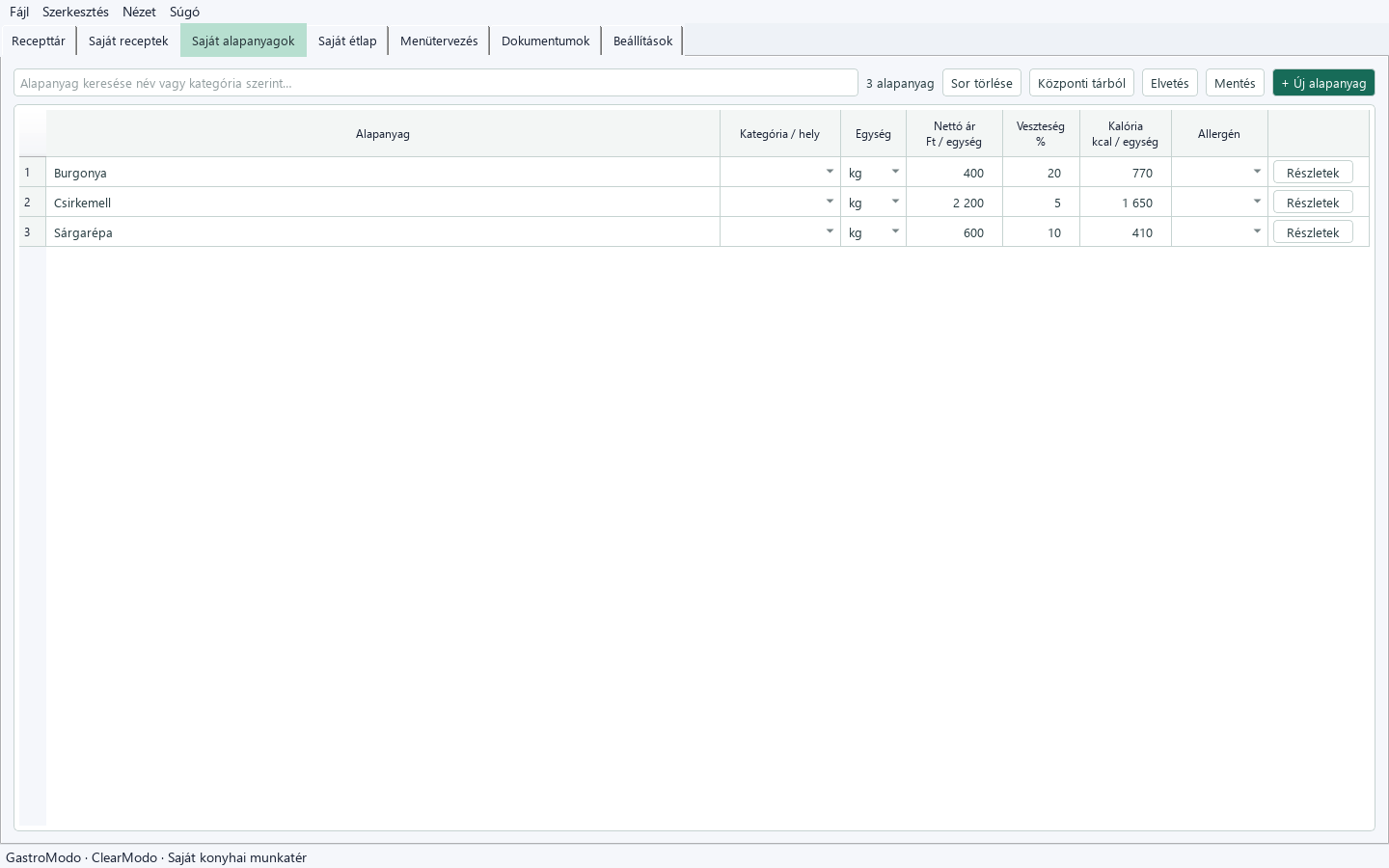
Net purchase prices, units, preparation losses and allergen data in your ingredient list.
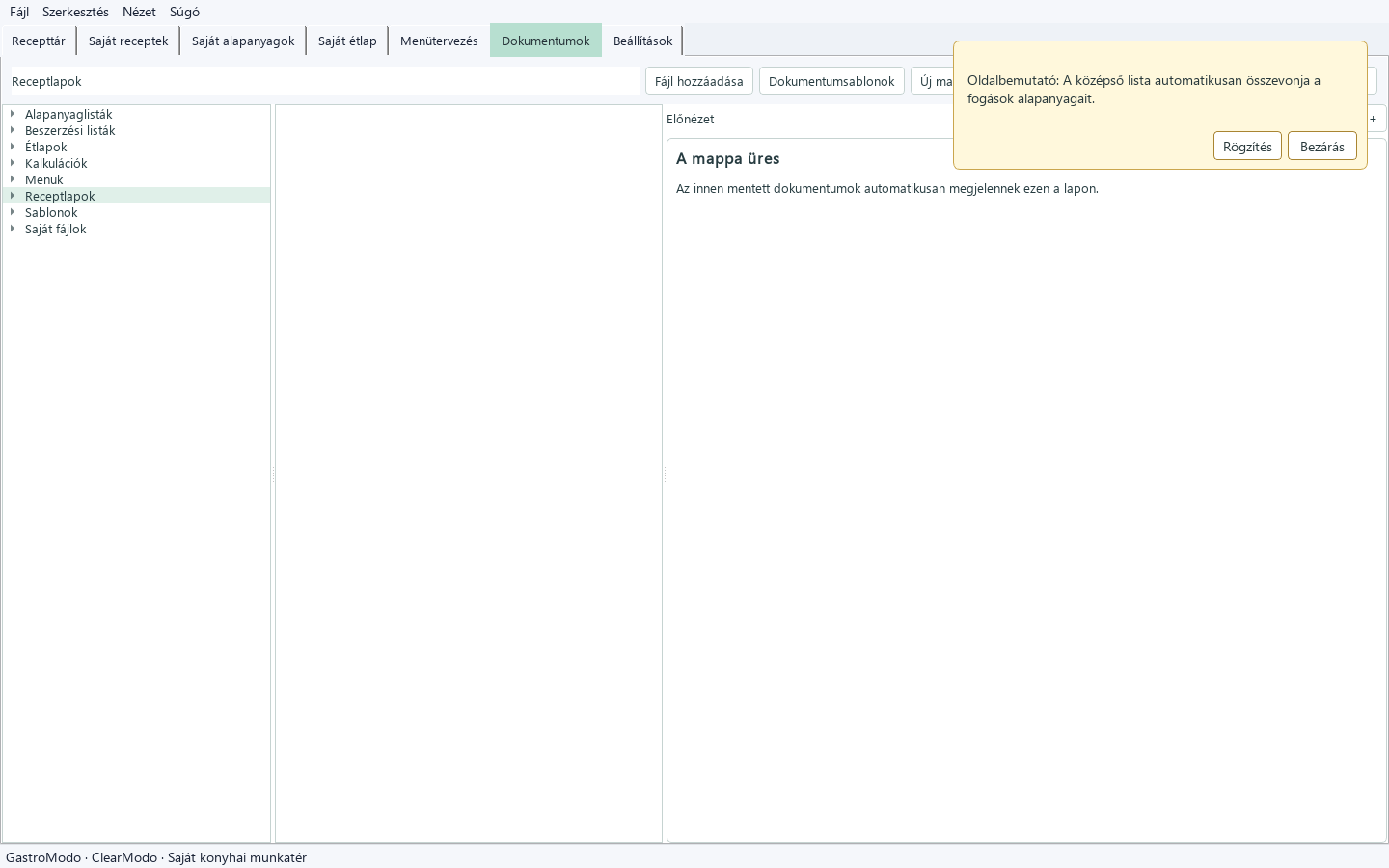
Purchasing lists and editable inventory, goods-receiving, temperature and cleaning documents.
The screenshots show the Hungarian interface. GastroModo supports Hungarian, English and German, with help and tips in the selected language.
The GastroModo story
GastroModo grew out of more than thirty years of practical kitchen experience and the professional work of Csavizó. It helps hospitality teams prepare clear cost calculations, dish prices and menu plans from their own prices and portions.
Recipes and ingredient data support the calculations. The included recipes help you get started; your own recipes, purchase prices and portions adapt the daily workflow to your kitchen. Csavizó provides personal professional support and joint development.
See what a serving costs and what its selling price is based on.
Use your own recipes and ingredient data for calculations. The starter set includes 100 Hungarian–English recipes and verified English names for 553 related ingredients.
Recipe, nutrition, allergen, cost and pricing values are indicative, calculated or source-derived. Actual results depend on ingredients, loss, substitutions, your prices and taxes; they do not replace professional verification.
The purchased major version may be used without a time limit within the device allowance. Both editions include the same features. Purchase terms
GastroModo Private
One-time fee · 1 named person · up to 2 personally owned Windows computers · may not be shared
BuyGastroModo Business
One-time fee · employees of one business may share it · up to 3 Windows computers
BuyProfessional service
Csavizó supports hospitality businesses with assessment, menu and recipe development, kitchen systems, training and implementation.
Explore Csavizó servicesThe current product is a Windows desktop application.
The interface, help, tips and calculator support Hungarian, English and German. Changing language does not automatically translate your own recipe content.
The current version does not provide automatic live database synchronisation.
Stock is followed through the kitchen’s inventory-to-inventory accounting process. Physical counts are performed manually using the application’s inventory sheets; costing and purchasing lists support an overview of ingredient use.